ColourSpace includes options for Gamut Mapping, which can be used when the display being calibrated cannot meet the target colour space gamut.
The correct option to use depends both on the calibration application, as well as the severity of the display's underlying colour inaccuracy.
Gamut Mapping Requirement
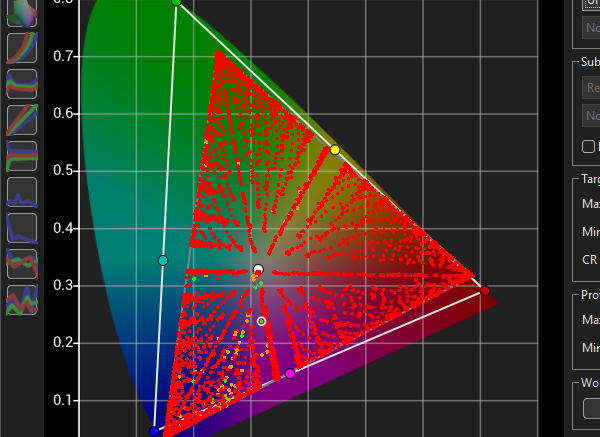
Gamut Mapping is a process to attempt to better handle gamut edge colours when the display's native gamut coverage (saturation) does not cover the target colour space's gamut.
When that happens, input colour values will cause one or more of the three RGB colour channels to clip, resulting in an output colour that is incorrect.
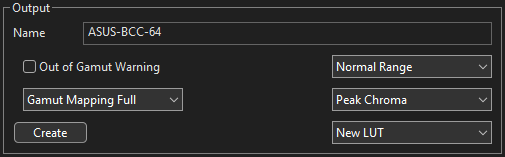
Within ColourSpace's LUT Generation capabilities, the Gamut Mapping option enables selection of the desired mapping option.
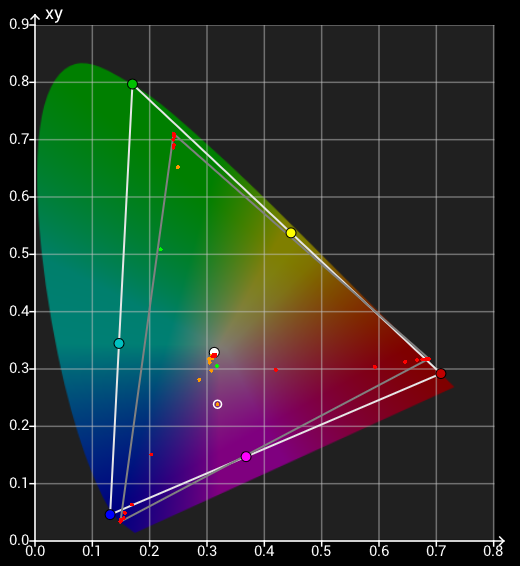
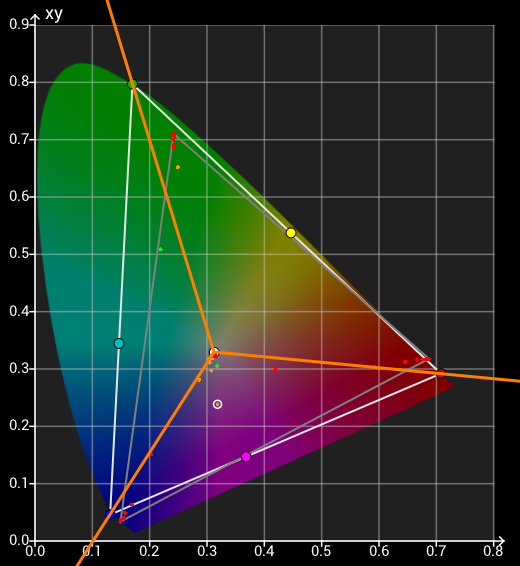
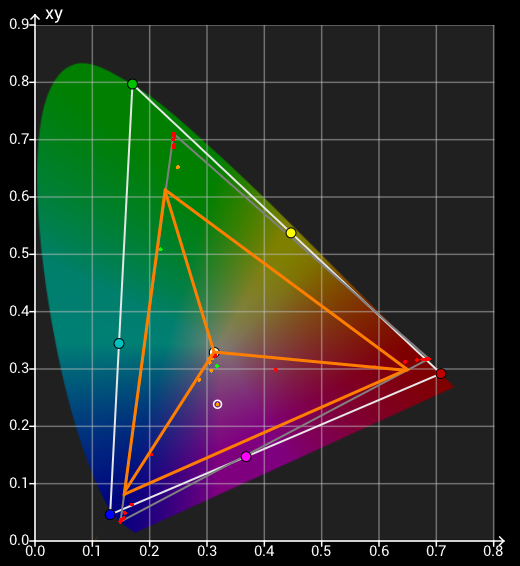
The native display gamut shows that it both cannot cover the target Rec2020 colour space, with a smaller gamut specifically in green, and also shows very different hues for all three RGB primary colours.
Adding in tangent lines that show the target gamut primary colours shows just what the issue is, showing just where the calibrated primary colours will sit, at the point where each RGB tangent line crosses the display's actual gamut triangle.
As a consequence of the inaccurate RGB primary values of the display the correct primary gamut coverage is considerably smaller than the actual available gamut, and is reached with input primary RGB values significantly lower than peak values.
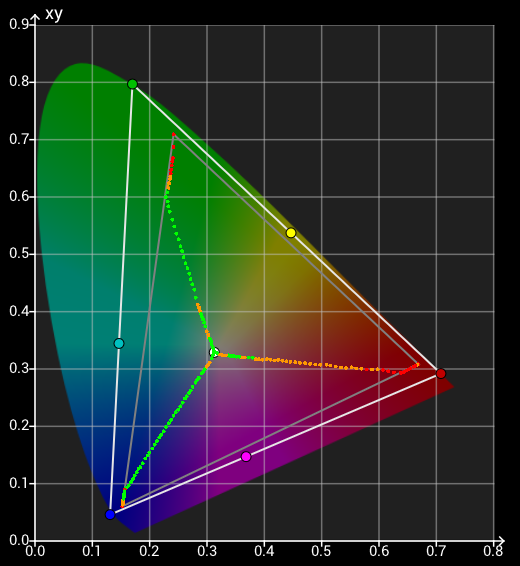
The question is what to do with gamut edge colours when one or more of the RGB channels is clipping, resulting in an output colour that is incorrect. With no Gamut Mapping the output colours will track along the gamut edge, in the direction of the target colour space's RGB primary colours.
It is important to realise that the Gamut Primary Coverage is not the total gamut of the displays that would be calibrated by ColourSpace. All the available gamut that is within the target colour space will be calibrated.
However, as the Gamut Edge Tracking image shows, any edge colour that has one or more input RGB channels clipped will result in an inaccurate output colours if no Gamut Mapping is applied.
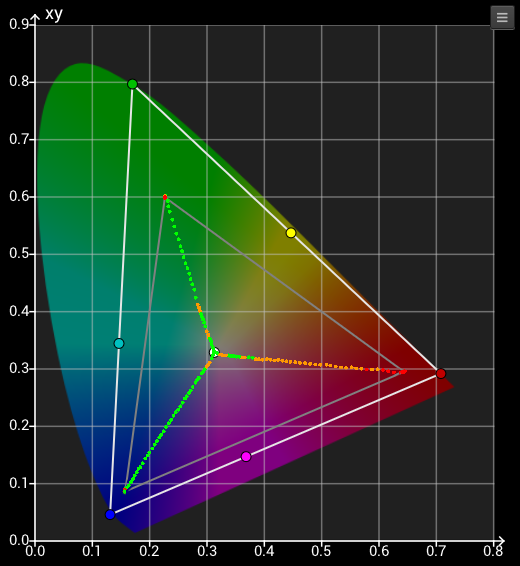
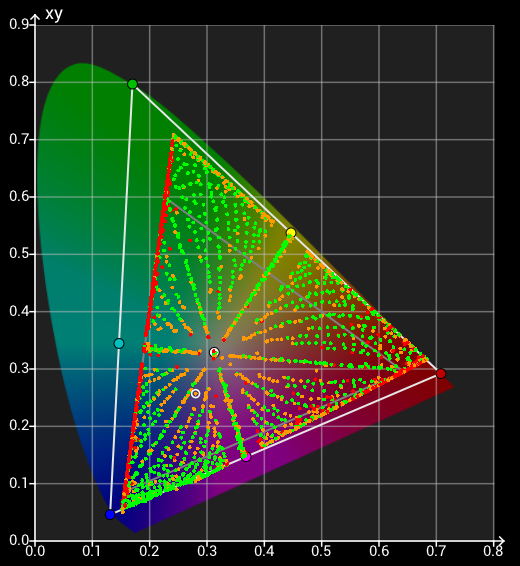
With Gamut Mapping Full applied the suggested displays gamut coverage is as per the above Gamut Primary Coverage image.
With Gamut Mapping enabled the true full gamut of the display is accurately calibrated, although as can be seen the peak RGB gamut triangle is still as per the Primary Gamut image.
Regardless of Gamut Mapping being enabled or not, the full available gamut of the display is calibrated, not just the gamut defined via the peak RGB values. But with Gamut Mapping enabled there are no inaccurate output colours when one or more RGB input channels clip.